Recently, I upgraded my computer from Win10 to Win11. I initially thought it was just a minor interface change, but after using it, I discovered a particularly annoying small issue: the CMD window can no longer have files or paths directly dragged into it like before.
I've been using this habit for many years. Normally, I would open the command line, want to enter a file path, and just drag and drop it in, which is convenient and easy. After upgrading to Win11, it became necessary to copy the path first and then paste it. Although it's not a major problem, it really affects the user experience. Especially for people who frequently deal with paths, they should understand this feeling of "it used to be smooth, but now it's stuck."
I searched online for many tutorials, and the methods were varied, some worked, some didn't. After a lot of tinkering, I finally found a method that personally tested and worked. I'm documenting it here as a reference for others who have the same problem.
Solution
1. Press the shortcut keys Win + R, and enter: regedit
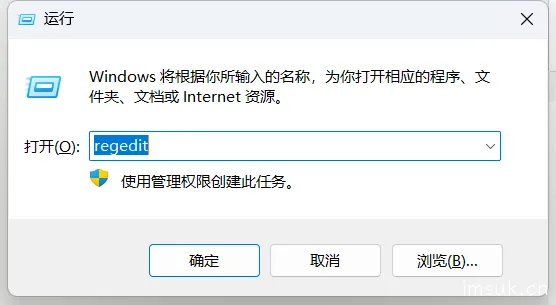
2. After opening the registry editor, navigate to: HKEY_LOCAL_MACHINE\SOFTWARE\Microsoft\Windows\CurrentVersion\Policies\System
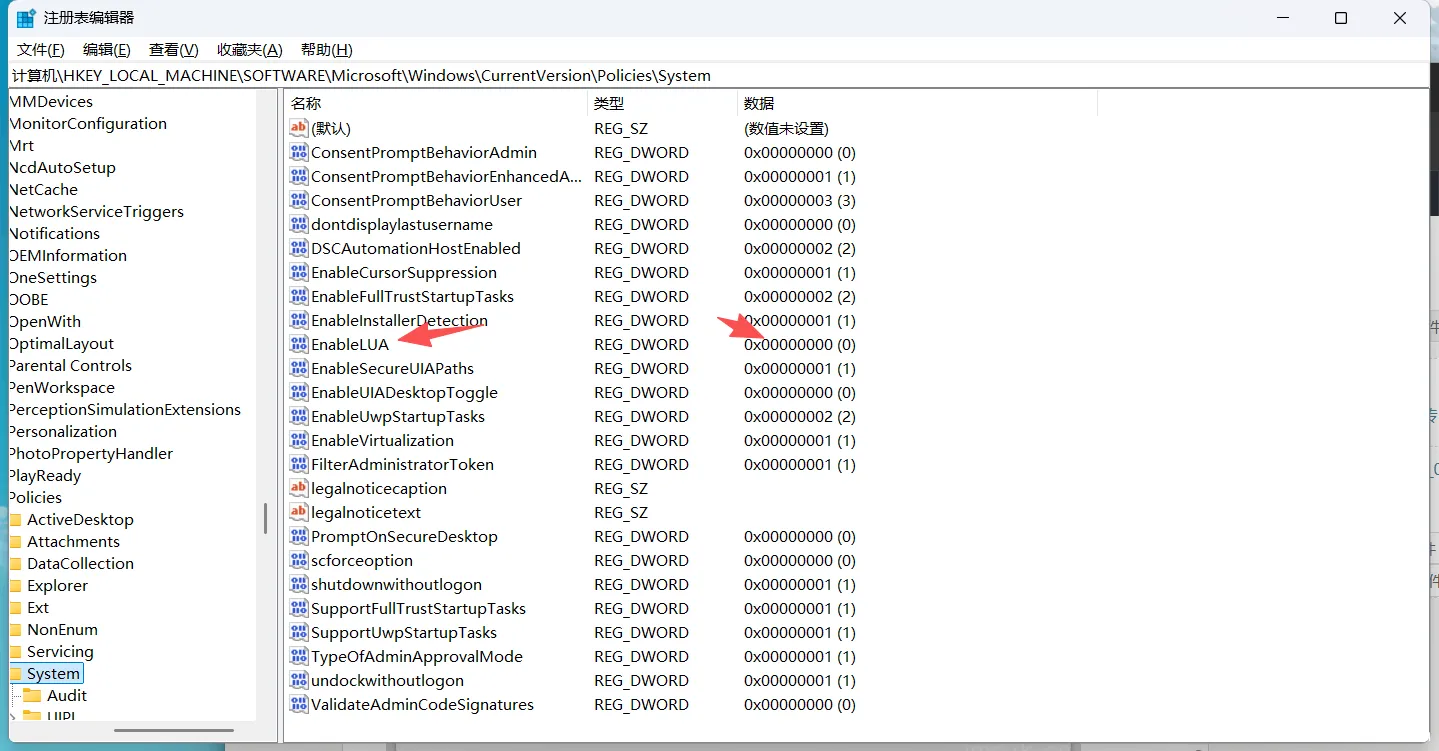
3. In the right-hand pane, find EnableLUA, double-click to open it, and change the Value data from 1 to 0.
4. After making the modification, restart your computer.
After restarting, you should be able to drag and drop normally again. For example, dragging system files directly into the WeChat input box, or dragging paths directly into CMD, will be much more convenient.
However, this method involves modifying the registry, so it's recommended to confirm and proceed with caution before making any changes. At least for me, this modification has indeed solved the problem, and the habit I've used for many years has finally returned.